Drive calm. We keep the score.
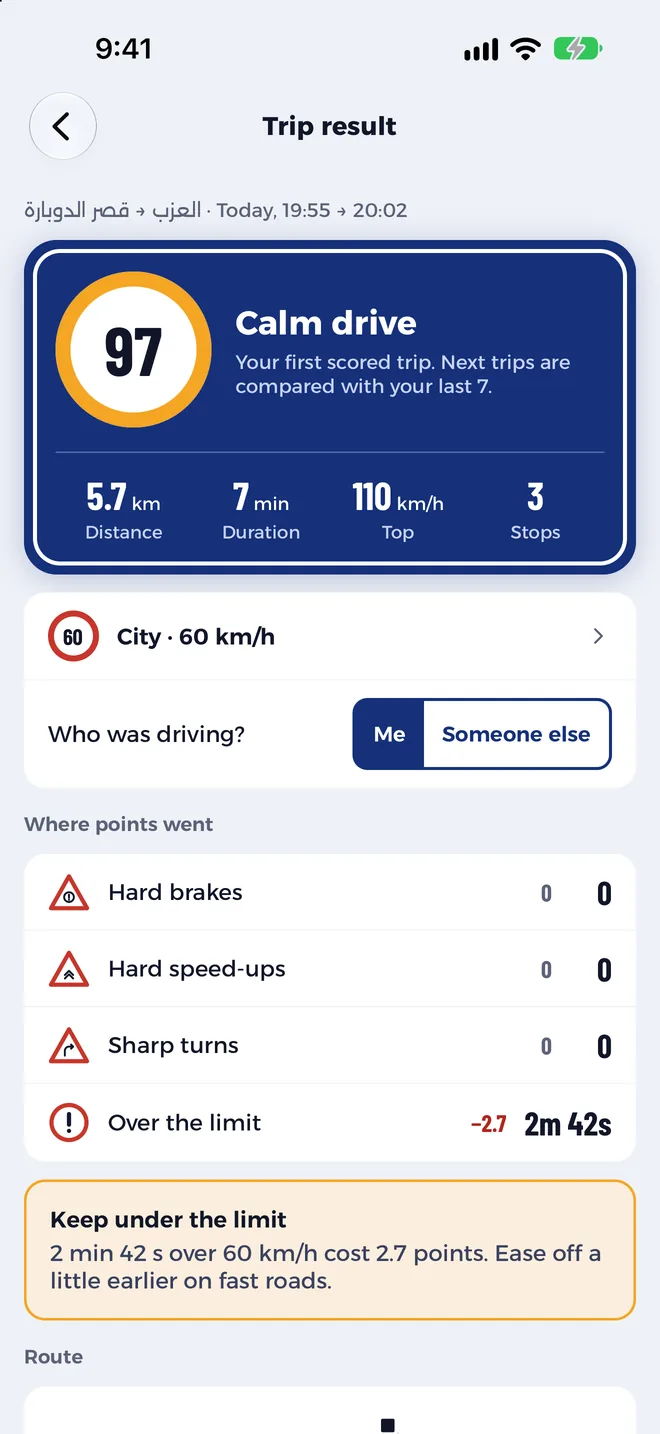
Every trip gets a score out of 100 from your phone’s GPS and motion sensors. You see what cost points and one tip for next time.
Free during testing. No account, and the score is worked out on your phone.
How it works
Three things, then drive.
Set the phone down
A mount is best. A loose phone makes turns look harsher than they were.
Pick your road
City, ring road or highway. That sets the speed limit.
Drive
Lock the screen and go.
End the trip, get your score. What went well, what cost points, and one tip for next time.
After every trip
The score is only the start.
Every trip keeps its route, speed and details, and your progress builds week after week.
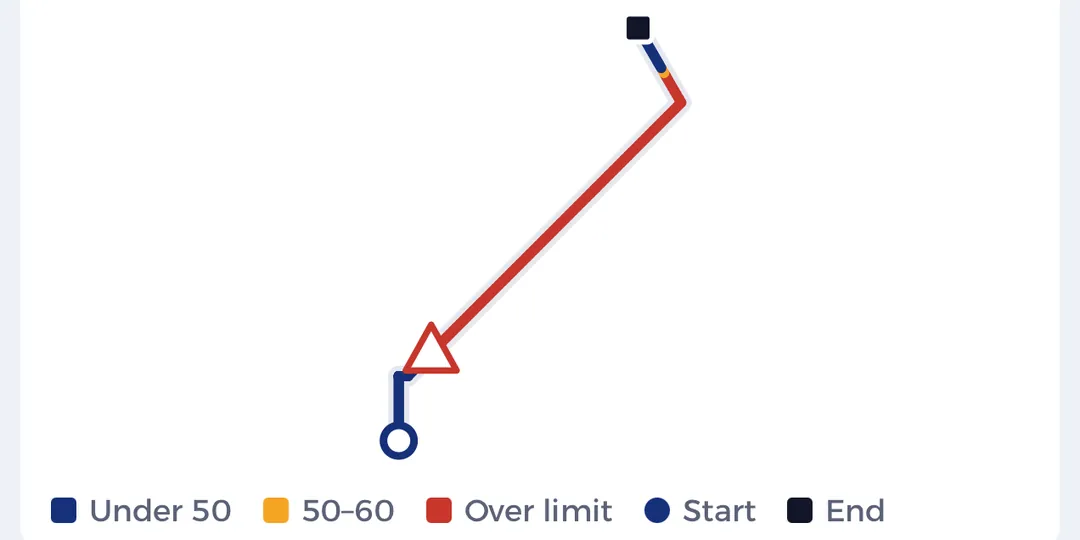
Route, colored by speed
The shape of your trip from GPS, colored by your speed and red where you went over the limit. Signs mark the brakes, speed-ups and turns.
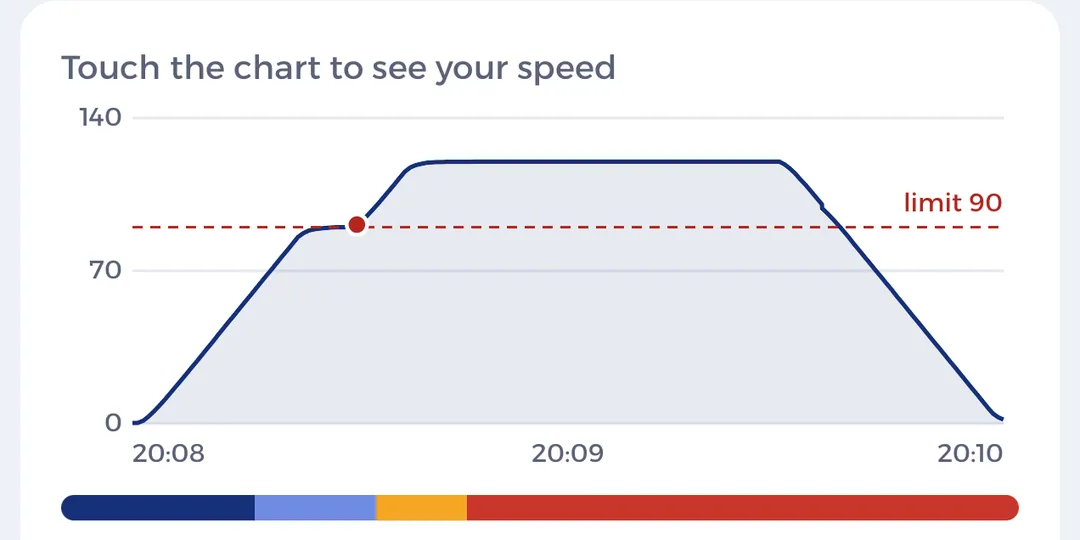
Speed chart
Touch the chart to see your speed at any moment, with your road’s limit as a line. Missed a brake or a turn? Touch and hold where it happened.
Full details
Smooth share of the trip, your longest smooth stretch and time over the limit. When you beat your best score, you get a “New best score” badge.
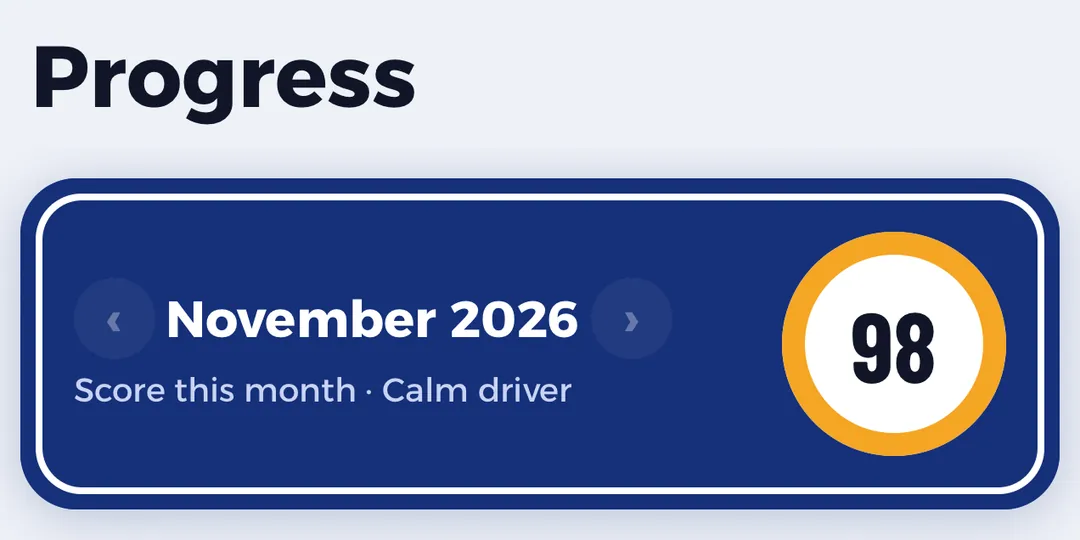
Your progress
Score this month, the last 8 weeks, trips in a row at 80+, and your calmest trip. Your weekly score arrives on Friday.
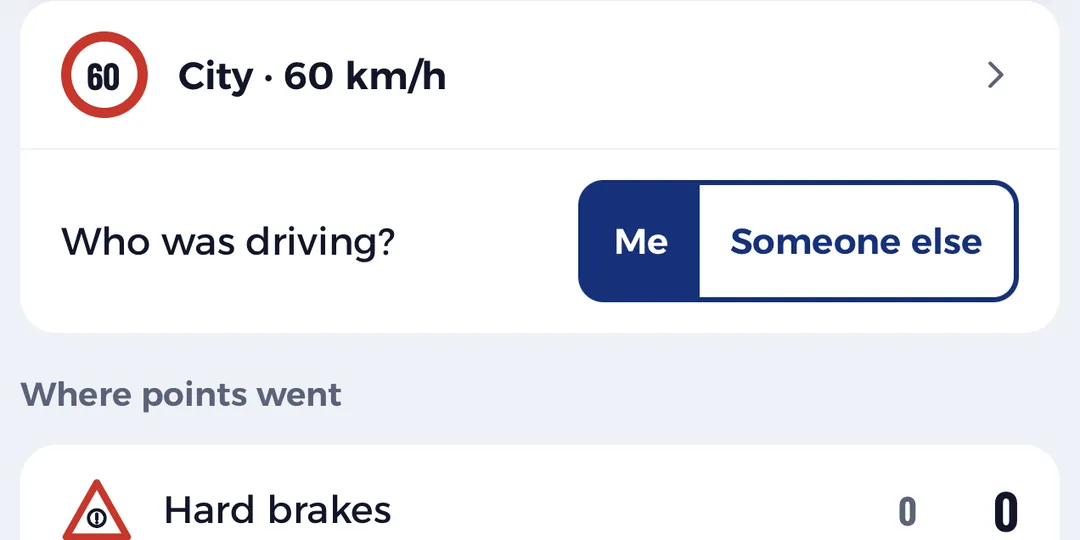
Rate the driver
In a taxi or a friend’s car? Tap “I’m a passenger” and score their drive. Turns aren’t counted when you ride.
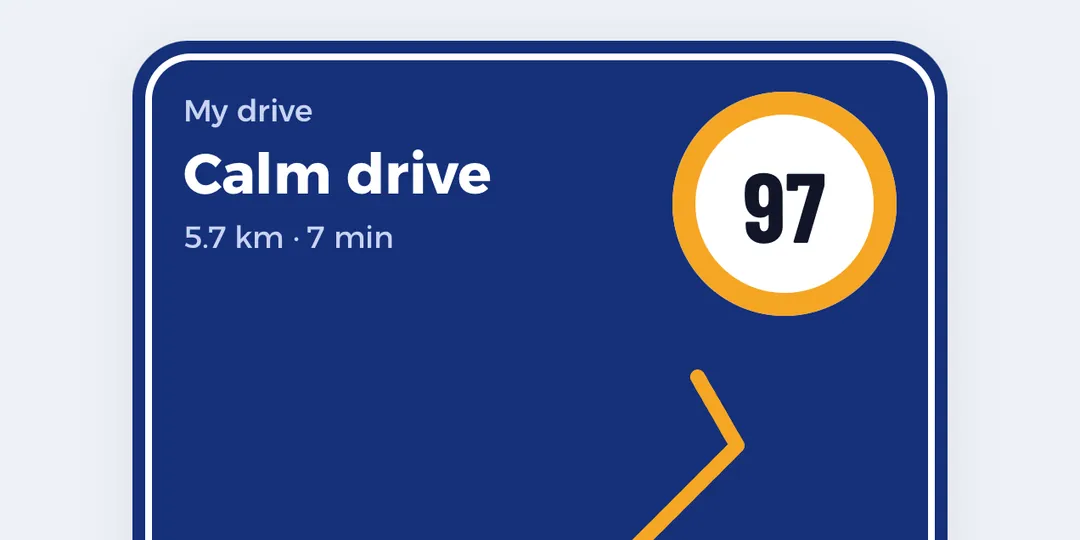
Share your score or progress
Share a trip’s score or your month’s progress as an image, with no place names, days or times, and the start and end of a trip’s route cut off.
What it notices
Four things a calm driver avoids.
Each one costs points. The result shows which, and where on the route.
Hard brake
Stopping late and hard.
Hard speed-up
Flooring it when the light turns green.
Sharp turn
Taking a corner too fast.
Over the limit
Above your road’s limit for more than a moment.
- 80–100 Calm drive
- 60–79 Mostly calm
- 0–59 Rough drive
Privacy
Your trips belong to you.
Trips are recorded and scored on your phone, with no account. Test builds also send trips to us under a random id so we can tune the scoring. One switch in Settings turns that off.
Before the first drive
Six questions we always get.
Is it free?
Yes, while we test it with drivers.
Do I need a mount or any extra device?
No. Your phone is enough. A mount helps the app read your turns more accurately, so use one if you have one.
Do I touch the phone during the drive?
No. Start the trip, put the phone down and drive. When you park, hold the button to end the trip and your score is there.
Does it need internet while driving?
No. GPS works on its own and the trip is saved on your phone.
What does the score mean?
100 is a calm trip. Points come off for hard braking, hard speed-ups, sharp turns and speeding, and you see each one listed after the trip.
Who can see my trips?
You. Test builds also send trips to us without your name; the Privacy section above says how to turn that off.
Your first score is one trip away.
Join the testers and help us make the score fair for Egyptian roads.